In Spring Boot, we can use the spring.web.resources.cache.period property to set how long a browser may cache static resources (like HTML, CSS, JavaScript and images). By default, no cache period is set, so Spring Boot does not send a Cache-Control: max-age=n header to the browser. Please check this tutorial to get familiar with Cache-Control header.
If we set this property (spring.web.resources.cache.period) to a value (say n seconds), Spring Boot adds the response header Cache-Control: max-age=n. The browser can then reuse its saved copy of the file for n seconds, without asking the server again.
The value type of spring.web.resources.cache.period is a Java java.time.Duration. If we write only a number, it means seconds. We can also use a unit, for example 60s, 30m, 1h or 7d.
Version History
This tutorial uses the latest property name. The name of this property has changed a few times, so you may see older names in old projects and old blog posts:
Spring Boot 1.x: the property was spring.resources.cache-period. It was a plain integer in seconds.
Spring Boot 2.0: it was renamed to spring.resources.cache.period and its type changed to Duration. This is why units like 1h work.
Spring Boot 2.4: all spring.resources.* properties moved to spring.web.resources.*. The old name was deprecated.
Spring Boot 2.6 and later (including 3.x and 4.x): the old spring.resources.* names do not work anymore. Only spring.web.resources.cache.period is valid.
Check out this bug: spring.resources.cache.period is ignored in Spring Boot 2.0.0 to 2.1.4 (fixed in 2.1.5).
If you upgrade an old project, you can temporarily add the spring-boot-properties-migrator dependency. It prints a warning for each renamed property and tells you the new name.
Example
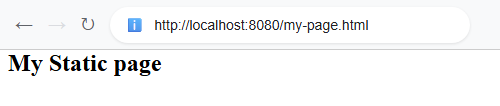
In this example, we will create a static page in the default '/static' folder (see last tutorial for default locations). Then we will set the cache period in application.properties.
2026-11-16T21:16:32.546-06:00 INFO 2320 --- [ main] com.logicbig.example.ExampleMain : Starting ExampleMain using Java 25 with PID 2320 (D:\LogicBig\example-projects\spring-boot\static-resource-cache-period-example\target\classes started by joe2 in D:\LogicBig\example-projects\spring-boot\static-resource-cache-period-example) 2026-11-16T21:16:32.548-06:00 INFO 2320 --- [ main] com.logicbig.example.ExampleMain : No active profile set, falling back to 1 default profile: "default" 2026-11-16T21:16:33.130-06:00 INFO 2320 --- [ main] o.s.boot.tomcat.TomcatWebServer : Tomcat initialized with port 8080 (http) 2026-11-16T21:16:33.143-06:00 INFO 2320 --- [ main] o.apache.catalina.core.StandardService : Starting service [Tomcat] 2026-11-16T21:16:33.143-06:00 INFO 2320 --- [ main] o.apache.catalina.core.StandardEngine : Starting Servlet engine: [Apache Tomcat/11.0.27] 2026-11-16T21:16:33.179-06:00 INFO 2320 --- [ main] b.w.c.s.WebApplicationContextInitializer : Root WebApplicationContext: initialization completed in 588 ms 2026-11-16T21:16:33.404-06:00 INFO 2320 --- [ main] o.s.boot.tomcat.TomcatWebServer : Tomcat started on port 8080 (http) with context path '/' 2026-11-16T21:16:33.408-06:00 INFO 2320 --- [ main] com.logicbig.example.ExampleMain : Started ExampleMain in 1.135 seconds (process running for 1.407)
In above example, we ran the main class directly from IntelliJ IDEA. Alternatively, you can execute it from the command line using your build tool:
Maven:mvn spring-boot:run
Gradle:gradle bootRun
Client output
Checking the response header (cache-control) via curl:
In Chrome's developer tools, look at the response headers. We can see the Cache-Control header with the max-age value we set:
Refresh the page again. This time the browser does not ask the server, because its saved copy is still fresh:
Good to Know
If we need more control (for example no-cache, must-revalidate or public), we can use the spring.web.resources.cache.cachecontrol.* properties. When these are set, they are used instead of cache.period.
This setting only affects static resources served by Spring Boot. Responses from our controllers are not changed.
A browser's normal refresh may still ask the server again. A hard refresh or "Disable cache" in developer tools also ignores the cache. This is normal browser behavior.
See also 'Last-Modified', 'If-Modified-Since' and 'Cache-Control' headers info here, and Spring MVC support for Cache-Control here.
Example Project
Dependencies and Technologies Used:
Spring Boot 4.1.2 Corresponding Spring Framework Version 7.0.10 Version Compatibility: 2.0.0.RELEASE - 4.1.2Version List
×
Version compatibilities of spring-boot-starter-parent with this example:
2.0.0.RELEASE
2.0.1.RELEASE
2.0.2.RELEASE
2.0.3.RELEASE
2.0.4.RELEASE
2.0.5.RELEASE
2.0.6.RELEASE
2.0.7.RELEASE
2.0.8.RELEASE
2.0.9.RELEASE
2.1.0.RELEASE
2.1.1.RELEASE
2.1.2.RELEASE
2.1.3.RELEASE
2.1.4.RELEASE
2.1.5.RELEASE
2.1.6.RELEASE
2.1.7.RELEASE
2.1.8.RELEASE
2.1.9.RELEASE
2.1.10.RELEASE
2.1.11.RELEASE
2.1.12.RELEASE
2.1.13.RELEASE
2.1.14.RELEASE
2.1.15.RELEASE
2.1.16.RELEASE
2.1.17.RELEASE
2.1.18.RELEASE
2.2.0.RELEASE
2.2.1.RELEASE
2.2.2.RELEASE
2.2.3.RELEASE
2.2.4.RELEASE
2.2.5.RELEASE
2.2.6.RELEASE
2.2.7.RELEASE
2.2.8.RELEASE
2.2.9.RELEASE
2.2.10.RELEASE
2.2.11.RELEASE
2.2.12.RELEASE
2.2.13.RELEASE
2.3.0.RELEASE
2.3.1.RELEASE
2.3.2.RELEASE
2.3.3.RELEASE
2.3.4.RELEASE
2.3.5.RELEASE
2.3.6.RELEASE
2.3.7.RELEASE
2.3.8.RELEASE
2.3.9.RELEASE
2.3.10.RELEASE
2.3.11.RELEASE
2.3.12.RELEASE
2.4.0
2.4.1
2.4.2
2.4.3
2.4.4
2.4.5
2.4.6
2.4.7
2.4.8
2.4.9
2.4.10
2.4.11
2.4.12
2.4.13
2.5.0
2.5.1
2.5.2
2.5.3
2.5.4
2.5.5
2.5.6
2.5.7
2.5.8
2.5.9
2.5.10
2.5.11
2.5.12
2.5.13
2.5.14
2.5.15
2.6.0
2.6.1
2.6.2
2.6.3
2.6.4
2.6.5
2.6.6
2.6.7
2.6.8
2.6.9
2.6.10
2.6.11
2.6.12
2.6.13
2.6.14
2.6.15
2.7.0
2.7.1
2.7.2
2.7.3
2.7.4
2.7.5
2.7.6
2.7.7
2.7.8
2.7.9
2.7.10
2.7.11
2.7.12
2.7.13
2.7.14
2.7.15
2.7.16
2.7.17
2.7.18
Java 17 min
3.0.0
3.0.1
3.0.2
3.0.3
3.0.4
3.0.5
3.0.6
3.0.7
3.0.8
3.0.9
3.0.10
3.0.11
3.0.12
3.0.13
3.1.0
3.1.1
3.1.2
3.1.3
3.1.4
3.1.5
3.1.6
3.1.7
3.1.8
3.1.9
3.1.10
3.1.11
3.1.12
3.2.0
3.2.1
3.2.2
3.2.3
3.2.4
3.2.5
3.2.6
3.2.7
3.2.8
3.2.9
3.2.10
3.2.11
3.2.12
3.3.0
3.3.1
3.3.2
3.3.3
3.3.4
3.3.5
3.3.6
3.3.7
3.3.8
3.3.9
3.3.10
3.3.11
3.3.12
3.3.13
3.4.0
3.4.1
3.4.2
3.4.3
3.4.4
3.4.5
3.4.6
3.4.7
3.4.8
3.4.9
3.4.10
3.4.11
3.4.12
3.4.13
3.5.0
3.5.1
3.5.2
3.5.3
3.5.4
3.5.5
3.5.6
3.5.7
3.5.8
3.5.9
3.5.10
3.5.11
3.5.12
3.5.13
3.5.14
3.5.15
3.5.16
4.0.0
4.0.1
4.0.2
4.0.3
4.0.4
4.0.5
4.0.6
4.0.7
4.0.8
4.0.9
4.1.0
4.1.1
4.1.2
Versions in green have been tested.
spring-boot-starter-web (Starter for building web, including RESTful, applications using Spring MVC. Uses Tomcat as the default embedded container (deprecated in favor of spring-boot-starter-webmvc))