Following example shows how to remember screen of a JFrame, that is, when application is restarted, the frame is opened in the same screen/monitor where it was located the last time. For efficiency this example does not remember the exact position of the frame, but just the monitor index.
Example
package com.logicbig.example;

import javax.swing.*;
import java.awt.*;
import java.awt.event.ComponentAdapter;
import java.awt.event.ComponentEvent;
import java.util.HashMap;
import java.util.Map;
import java.util.prefs.Preferences;

public enum ScreenMonitor {
    Instance;
    private static final String MonitorIndex = "monitorIndex";
    private int currentMonitorIndex;
    private Map<Rectangle, Integer> boundToScreenIndexMap = new HashMap<>();
    private final Preferences prefs = Preferences.userRoot().node(this.getClass().getName());

    ScreenMonitor() {
        GraphicsDevice[] screenDevices = GraphicsEnvironment.getLocalGraphicsEnvironment().getScreenDevices();
        for (int i = 0; i < screenDevices.length; i++) {
            GraphicsDevice graphicsDevice = screenDevices[i];
            Rectangle bounds = graphicsDevice.getDefaultConfiguration().getBounds();
            boundToScreenIndexMap.put(bounds, i);
        }
    }

    public void registerFrame(JFrame frame) {
        currentMonitorIndex = prefs.getInt(MonitorIndex, -1);
        Point l = monitorIndexToLocation(currentMonitorIndex);
        frame.setLocation(l);
        frame.addComponentListener(new ComponentAdapter() {
            @Override
            public void componentMoved(ComponentEvent e) {
                int screenIndex = locationToMonitorIndex(e.getComponent().getLocation());
                if (screenIndex != currentMonitorIndex) {
                    prefs.putInt(MonitorIndex, screenIndex);
                    currentMonitorIndex = screenIndex;
                    System.out.println("changed: "+currentMonitorIndex);
                }
            }
        });
    }

    private int locationToMonitorIndex(Point location) {
        for (Map.Entry<Rectangle, Integer> e : boundToScreenIndexMap.entrySet()) {
            if (e.getKey().contains(location)) {
                return e.getValue();
            }
        }
        return currentMonitorIndex;
    }

    private Point monitorIndexToLocation(int currentMonitor) {
        for (Map.Entry<Rectangle, Integer> e : boundToScreenIndexMap.entrySet()) {
            if (e.getValue().equals(currentMonitor)) {
                return e.getKey().getLocation();
            }
        }
        return new Point(0, 0);
    }
}
Main class
public class ExampleMain {
    public static void main(String[] args) {
        JFrame frame = createFrame();
        ScreenMonitor.Instance.registerFrame(frame);
        frame.setVisible(true);
    }

    private static JFrame createFrame() {
        JFrame frame = new JFrame("Remembering Window's Monitor");
        frame.setDefaultCloseOperation(JFrame.EXIT_ON_CLOSE);
        frame.setSize(new Dimension(500, 400));
        return frame;
    }
}
Output
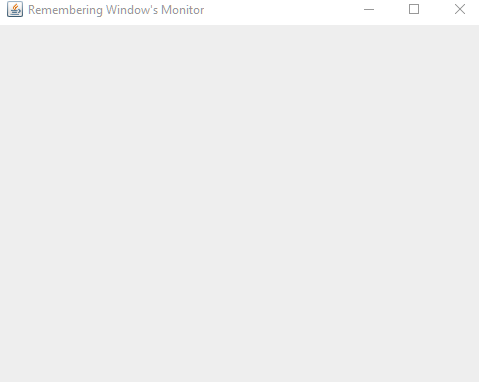
After restarting the application the frame is opened in the same monitor.
Example ProjectDependencies and Technologies Used:
|