In following example we will use a utility to remember JFrame last location and size. We will also use our coalesce event util on JFrame 'resized' and 'moved' events for efficiency.
Example
package com.logicbig.example.uicommon;

import javax.swing.*;
import java.awt.*;
import java.awt.event.ComponentAdapter;
import java.awt.event.ComponentEvent;
import java.util.prefs.Preferences;

public class FrameMonitor {

    public static void registerFrame(JFrame frame, String frameUniqueId,
                                     int defaultX, int defaultY, int defaultW, int defaultH) {
        Preferences prefs = Preferences.userRoot()
                                       .node(FrameMonitor.class.getSimpleName() + "-" + frameUniqueId);
        frame.setLocation(getFrameLocation(prefs, defaultX, defaultY));
        frame.setSize(getFrameSize(prefs, defaultW, defaultH));

        CoalescedEventUpdater updater = new CoalescedEventUpdater(400,
                () -> updatePref(frame, prefs));

        frame.addComponentListener(new ComponentAdapter() {
            @Override
            public void componentResized(ComponentEvent e) {
                updater.update();
            }

            @Override
            public void componentMoved(ComponentEvent e) {
                updater.update();
            }
        });
    }

    private static void updatePref(JFrame frame, Preferences prefs) {
        System.out.println("Updating preferences");
        Point location = frame.getLocation();
        prefs.putInt("x", location.x);
        prefs.putInt("y", location.y);
        Dimension size = frame.getSize();
        prefs.putInt("w", size.width);
        prefs.putInt("h", size.height);
    }

    private static Dimension getFrameSize(Preferences pref, int defaultW, int defaultH) {
        int w = pref.getInt("w", defaultW);
        int h = pref.getInt("h", defaultH);
        return new Dimension(w, h);
    }

    private static Point getFrameLocation(Preferences pref, int defaultX, int defaultY) {
        int x = pref.getInt("x", defaultX);
        int y = pref.getInt("y", defaultY);
        return new Point(x, y);
    }
}
package com.logicbig.example.uicommon;

import javax.swing.*;

public class CoalescedEventUpdater {
    private Timer timer;

    public CoalescedEventUpdater(int delay, Runnable callback) {
        timer = new Timer(delay, e -> {
            timer.stop();
            callback.run();
        });
    }

    public void update() {
        if (!SwingUtilities.isEventDispatchThread()) {
            SwingUtilities.invokeLater(() -> {timer.restart();});
        } else {
            timer.restart();
        }
    }
}
Example Main
public class ExampleMain {
    public static void main(String[] args) {
        JFrame frame = createFrame();
        FrameMonitor.registerFrame(frame, ExampleMain.class.getName(),
                0, 0, 500, 400);
        frame.setVisible(true);
    }

    private static JFrame createFrame() {
        JFrame frame = new JFrame("Remembering Window Size and Location");
        frame.setDefaultCloseOperation(JFrame.EXIT_ON_CLOSE);
        return frame;
    }
}
Output
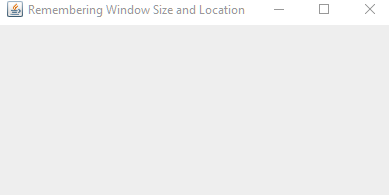
On changing size and location the preferences is updated. On restarting, last size and location are restored.
 Example ProjectDependencies and Technologies Used:
|
|